
Two songs, eleven parts, one scene. The picture follows the mixer: turn a part down and its light fades.
Borealis splits your songs into drums, bass, vocals and more, then turns each part into its own living visual. A DJ app and a visualizer, in one.
macOS and Windows · Free betaTwo songs, eleven parts, one scene. The picture follows the mixer: turn a part down and its light fades.
How it works
Classic visualizers listen to the finished mix, where the kick and the bassline are already blurred together. Borealis takes the song apart first, so every instrument can move on its own.
AI models separate every song into up to twelve parts: kick, snare, toms, hi-hat, ride, crash, bass, guitar, piano, lead vocal, backing vocals and the rest. Everything runs on your own machine.
Each part is analysed sixty times a second: its punch, its pitch, its brightness, every hit. The beat grid, the key and the song's sections are found too.
Every part gets a look of its own, drawn on the GPU in sync with the sound. A director follows the song's sections and changes the looks when the music changes, not at random.
Features
Everything you expect from two decks and a mixer, and every control is one right-click away from your MIDI controller.
Tempo, sync and key lock, hot cues saved per song, loops and beat jumps, a three-band EQ, filter, echo, reverb and gate.
One button glides a synced song back to its own tempo over 8, 16 or 32 beats and fades the other deck out with it.
Every song's key on the Camelot wheel, found from its separated parts. Matching keys light up in the playlist; transpose a deck to fit.
Right-click any button, fader or knob and move a control. Faders snap to their centre, so the neutral setting is easy to hit.
Capture the mix to WAV, FLAC or Ogg Vorbis at the quality you pick.
Full screen on a second display, a 4K stream to a TV, or straight into OBS and VJ software over Syphon.
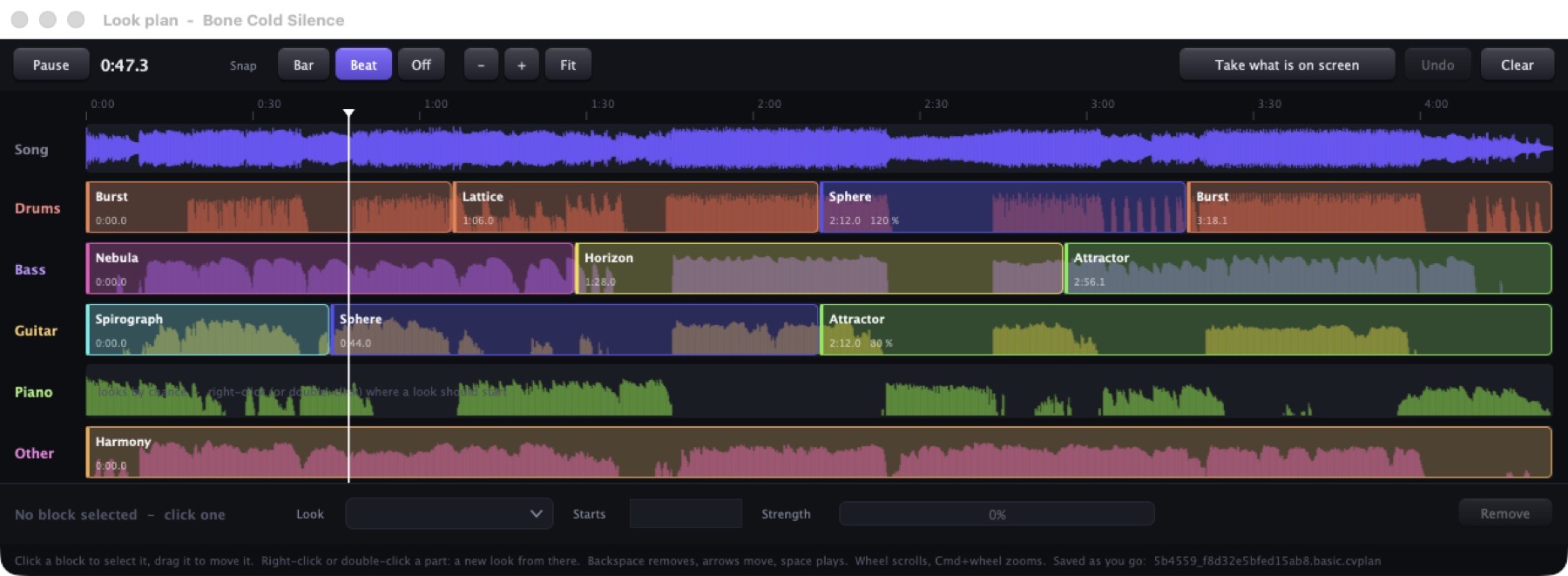
See which part is drawn with which look, and from which second. Borealis plans it from the song's sections; drag the blocks to make it yours. The plan is kept with the song.
Folders, search, tempo, key and length at a glance. New songs are analysed in the background, one after another.
Looks
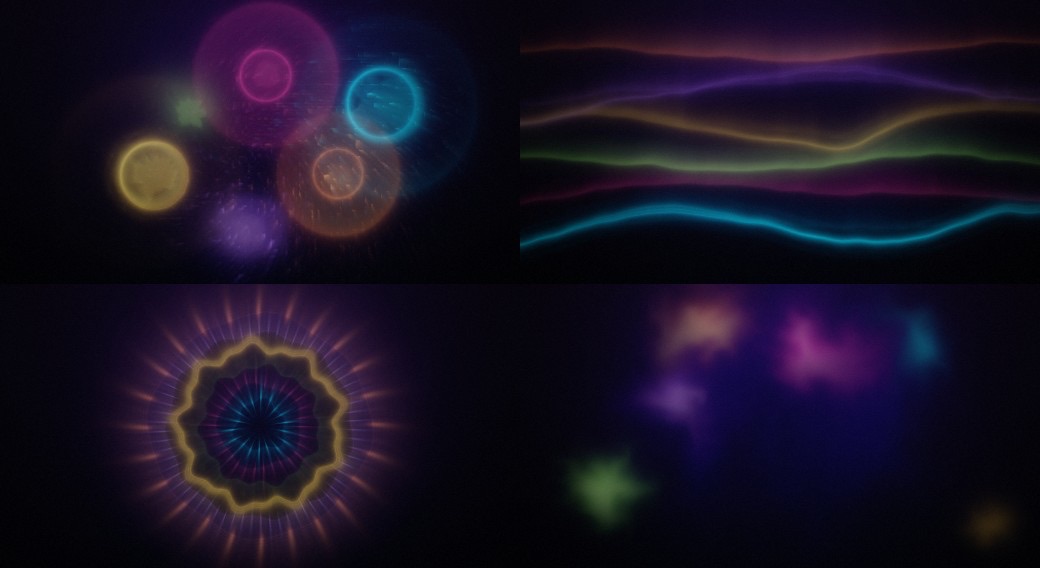
Each look is a small GPU program that listens to one instrument. Drums throw sparks, vocals become beings of light, the bass reaches out like something alive. Write your own in formulas or GLSL and watch it change as you type.
Download
Each beta runs for 24 hours from the first start, and every new beta starts the clock again. The commercial version is on its way.